Array:
An array in Java is a group of like-typed variables referred to by a common name.To declare an array, define the variable type with square brackets
. Following are some important points about Java arrays.
- In Java, all arrays are dynamically allocated. (discussed below)
- Arrays are stored in contagious memory [consecutive memory locations].
- Since arrays are objects in Java, we can find their length using the object property length. This is different from C/C++, where we find length using sizeof.
- A Java array variable can also be declared like other variables with [] after the data type.
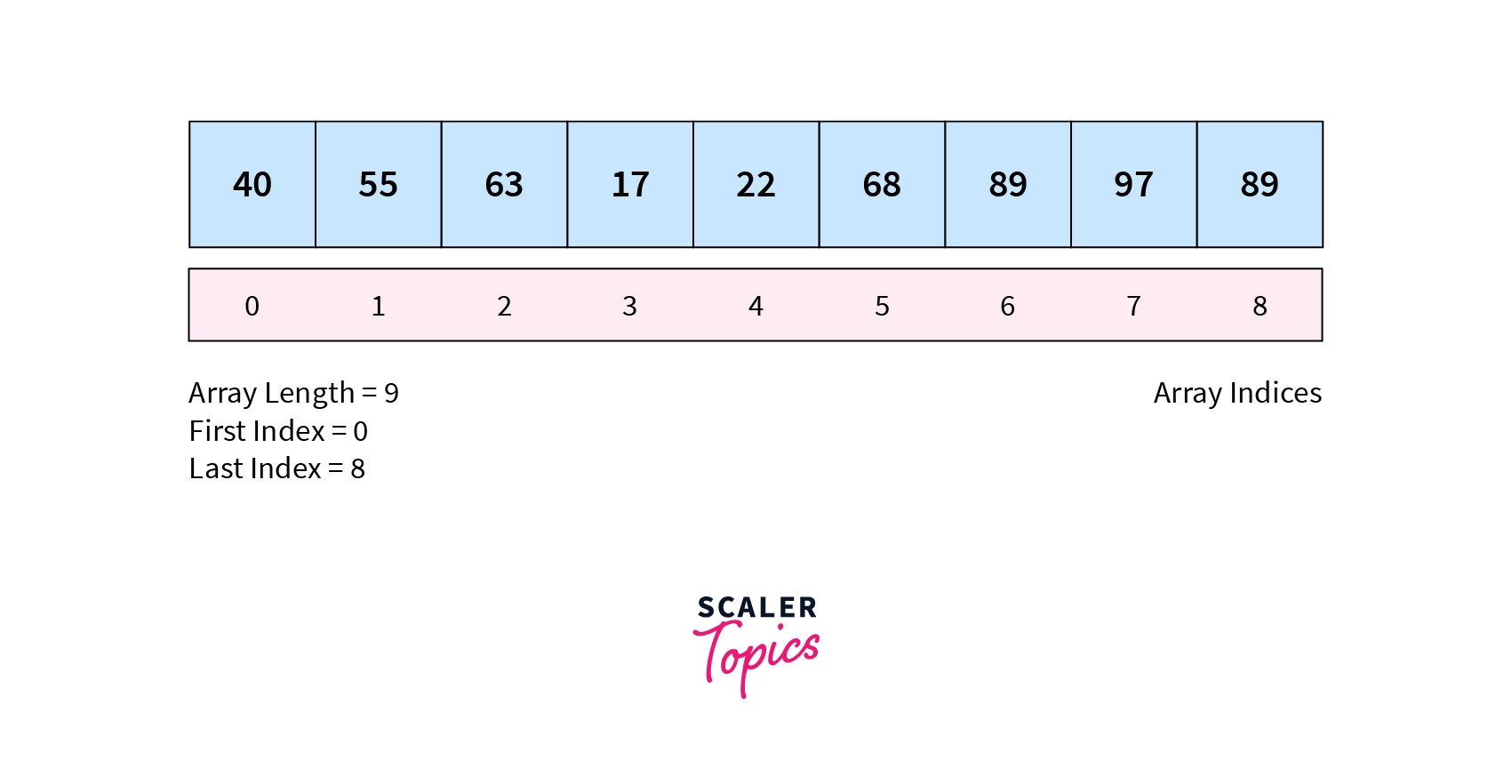
- The variables in the array are ordered, and each has an index beginning from 0.
- Java array can also be used as a static field, a local variable, or a method parameter.
- The size of an array must be specified by int or short value and not long.
- The direct superclass of an array type is Object.
- Every array type implements the interfaces Cloneable and java.io.Serializable.
- This storage of arrays helps us in randomly accessing the elements of an array [Support Random Access].
- The size of the array cannot be altered(once initialized). However, an array reference can be made to point to another array.
An array can contain primitives (int, char, etc.) and object (or non-primitive) references of a class depending on the definition of the array. In the case of primitive data types, the actual values are stored in contiguous memory locations. In the case of class objects, the actual objects are stored in a heap segment.
Types of Array in java:
There are two types of array.
- Single Dimensional Array
- Multidimensional Array
How do Arrays in Java work?
An array is a data structure or container that stores the same typed elements in a sequential format.
Let’s use the above example to know how arrays work in java. This is how we can implement a program to store five subject marks of a student:
int mark1 = 78;
int mark2 = 84;
int mark3 = 63;
int mark4 = 91;
int mark5 = 75;

But what if we store all these five variables in one single variable?
marks[0] = 78;
marks[1] = 84;
marks[2] = 63;
marks[3] = 91;
marks[4] = 75;
How to Create and Initialize Array in Java?
In every program, to use an array, we need to create it before it is used. We require two things to create an array in Java – data type and length.
As we know, an array is a homogenous container that can only store the same type of data. Hence, it’s required to specify the data type while creating it. Moreover, we also need to put the number of elements the array will store.
Syntax:
Unlike other programming languages, while declaring an array in java, we can put [] both before and after the variable name.
The new keyword is crucial to creating an array. Without using it, we cannot make array reference variables.
datatype[] arrayName = new datatype[length]; OR
datatype arrayName[] = new datatype[length];

//[length] = Length of the array
Example:
// Both will create an int array with a length of 5.

int[] myArray = new int[5];
int myArray1[] = new int[5];
We can Initialize Arrays in Java in two Different ways:
- Initialize using index – Once an array is created successfully, we can assign the value to any specific element using its index. Un-assigned elements automatically take the default value of the array’s data type. In this case, 0 for the integer data type. On the other hand, if we try to enter more values than the size of the array, it will raise an ArrayIndexOutOfBoundsException.
Example:
int[] myArray = new int[5];    // array declared
myArray[0] = 10;               // assigned 10 at index 0
myArray[2] = 37;               // assigned 37 at index 0

Array will be -
10 0 37 0 0- Initialize while declaring – We can also initialize the whole array while declaring it just by using curly brackets {}. The string must be in quotes, whereas int, float, etc., do not require that.
Example:
int[] myArray = {1, 2, 3, 4, 5};           // For integer type
    String[] myArray1 = {"A", "B", "C", "D"};  // For string type
Looping Through Array Elements:[TBD]
There are two ways to loop through the array elements.
- Using for Loop – In this way of looping through the array elements, we need the array’s length first. This can be done by java in-built property length. If we start the for loop from 0, then the total iteration will be the array’s length – 1, and if we start the for loop from 1, then the total iteration will be the length of an array.
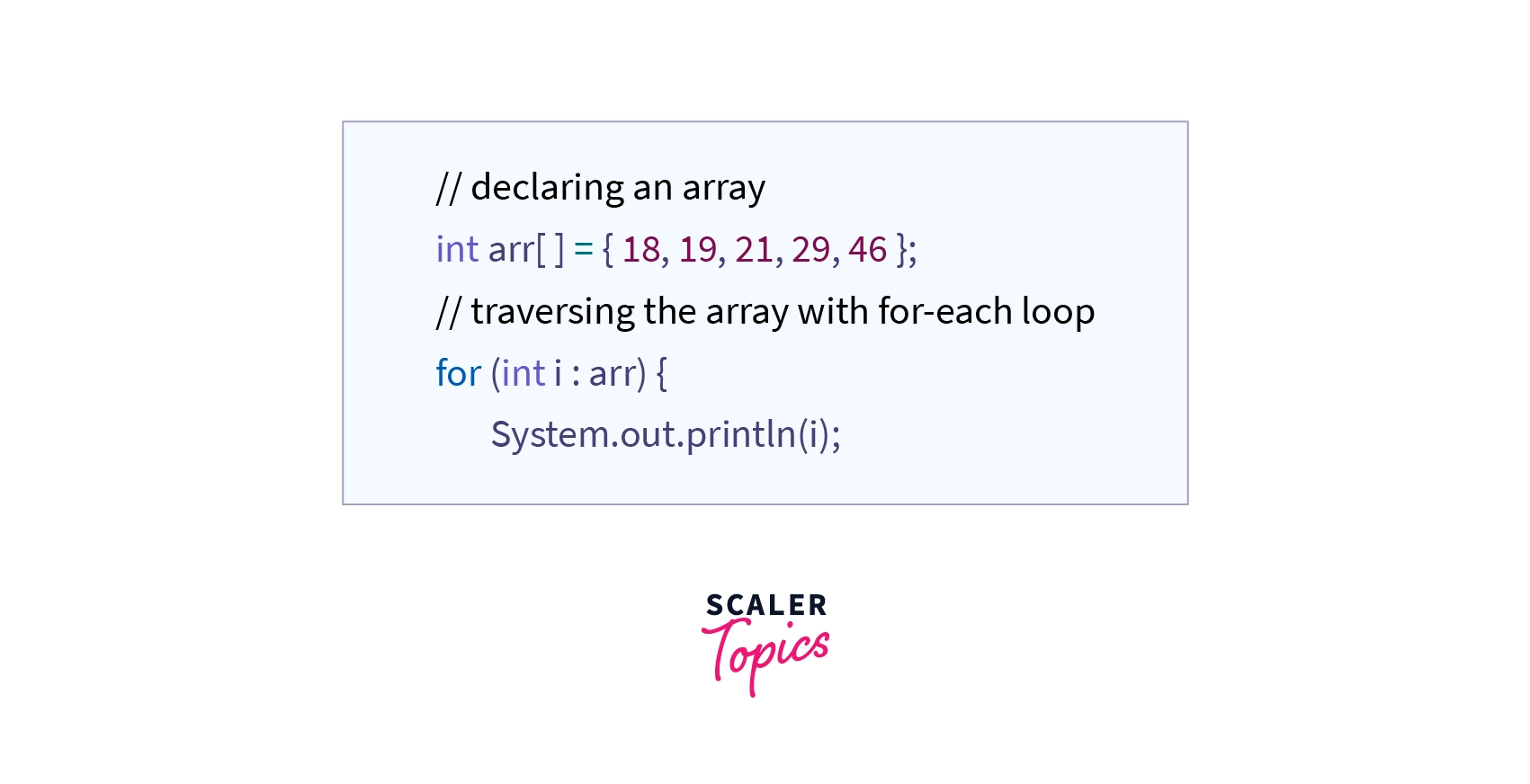
Using for-each loop – In this way, we use a for loop, but we do not need the length of the array. The for-each method is much easier to loop through the array element than looping for-loop. While using the for-each loop, we need to define a variable of the same type as the data type of the defined array. If not done, the compiler will throw compile time error saying- incompatible types: String cannot be converted to YourDefinedDataType
Types of Array in Java:
In Java, there are two types of arrays:
- Single-Dimensional Array
- Multi-Dimensional Array
1. Single Dimensional Array:
An array that has only one subscript or one dimension is known as a single-dimensional array. It is just a list of the same data type variables.

One dimensional array can be of either one row and multiple columns or multiple rows and one column.For instance, a student’s marks in five subjects indicate a single-dimensional array.
Example:
int marks[] = {56, 98, 77, 89, 99}; 2. Multi-Dimensional Array:[TBD]
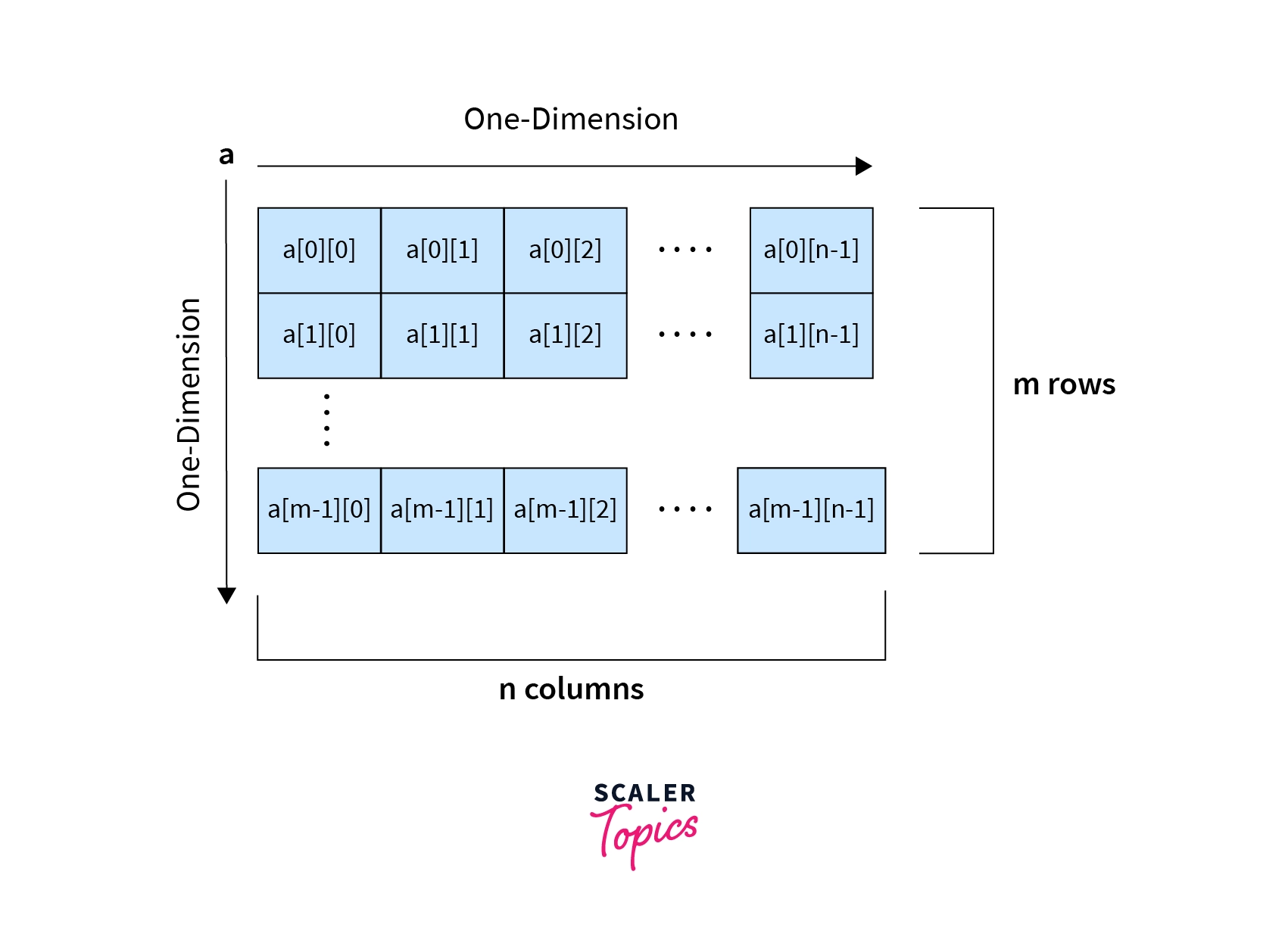
In not all cases, we implement a single-dimensional array. Sometimes, we are required to create an array within an array.
Example:
int marks[][] = {
                    {77,85,68,99,87},
                    {98,56,79,90,92},
                    {78,88,56,70,99}
                };
OR
int marks[][] = new int[3][5];

// both will create a 2D array with 3 rows and 5 columns.
Passing Arrays to Methods:[TBD]
we pass variables as a parameter and can also pass the array to methods. While passing, we do not require adding a square bracket with an array name, but we do require that in formal parameters.
Passing an array while calling methods is not required to mention the size of the array. If you do so, then it will throw the compile-time error.
Returning Arrays from Methods:
As usual, a method can also return an array.
Anonymous Array in Java:[TBD]
arrays having no name are called Anonymous arrays in java. This type of array is used only when we require an array instantly. We can also pass this array to any method without any reference variable.
As anonymous arrays do not have reference variables, we can not access its element, though we can use it entirely to meet our logic.
The primary reason to create an anonymous array is to implement and use an array instantly.
Syntax:
new datatype[] {values separated by comma}
ArrayIndexOutOfBoundsException:[TBD]
Till now, we saw how to access a specific element of an array and loop through all the array elements. But what if, by mistake, we try to access an index value that is either greater than the array length or negative?
In this situation, JVM throws the runtime exception of ArrayIndexOutOfBoundsException, which points to an array accessed by an illegal index.
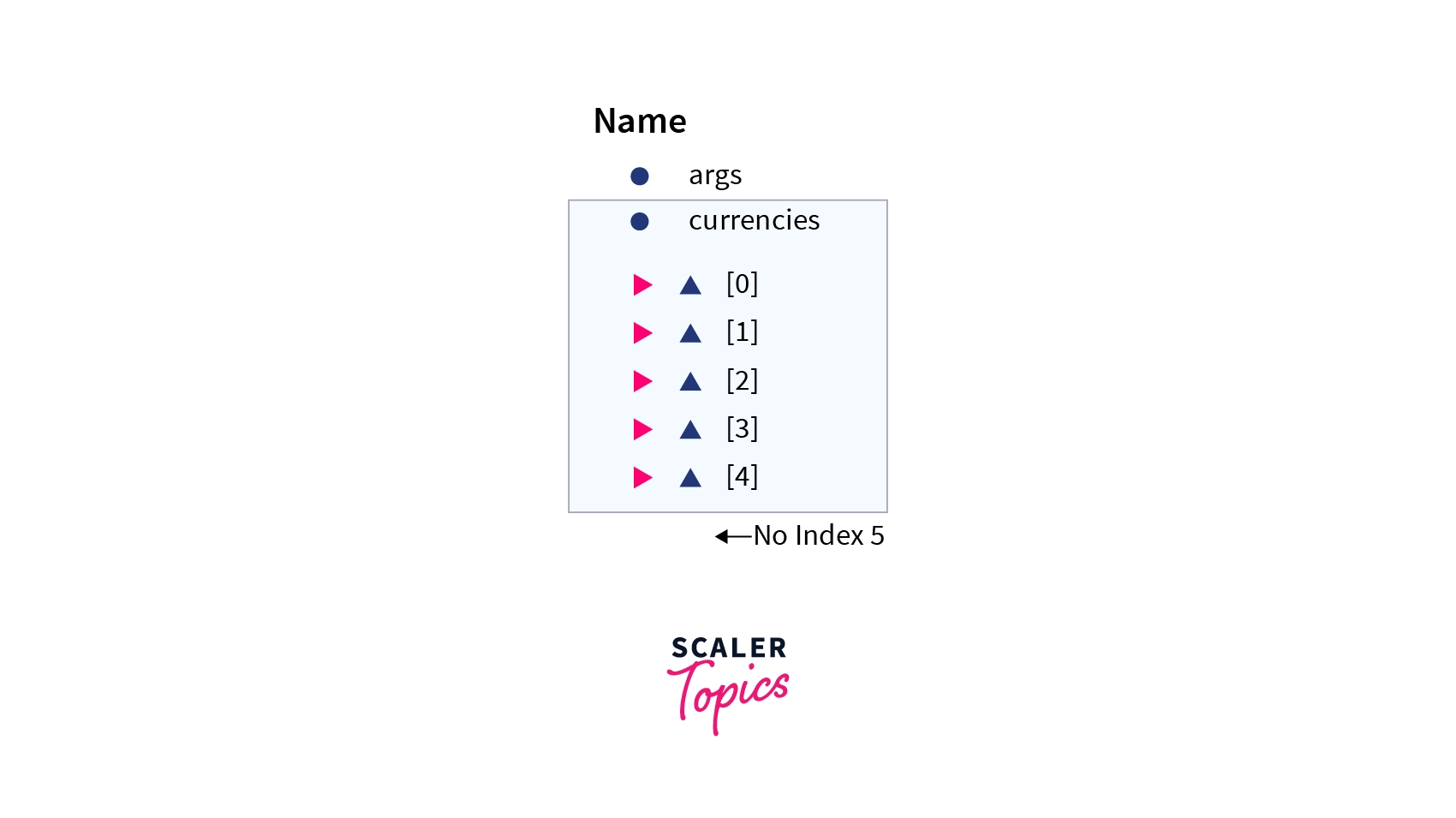
If in the above example we try to access currencies[5] then the system will give us ArrayIndexOutOfBoundsException.
Cloning of Arrays in Java:[TBD]
Cloning an array in Java is nothing but creating a new array, where data is copied from the existing one using the clone() property.
Syntax:
datatype Array2[] = Array1.clone();Arrays Types and Their Allowed Element Types[TBD]
| Array Types | Allowed Element Types |
|---|---|
| Primitive Type Arrays | Any type which can be implicitly promoted to declared type. |
| Object Type Arrays | Either declared type objects or it’s child class objects. |
| Abstract Class Type Arrays | Its child-class objects are allowed. |
| Interface Type Arrays | Its implementation class objects are allowed. |
Advantages:
- Code Optimization: It makes the code optimized, we can retrieve or sort the data efficiently.
- Random access: We can get any data located at an index position.
Disadvantages:
- Size Limit: We can store only the fixed size of elements in the array. It doesn’t grow its size at runtime. To solve this problem, collection framework is used in Java which grows automatically.
Reference:
https://www.scaler.com/topics/java/array-in-java/
https://www.w3schools.com/java/java_arrays.asp
 sankaa
Leave a comment